Scan film negatives with your phone in minutes
Film negative scanner app
Scan Film Negatives With Your Phone
Convert 35mm film, slides, and old negatives into digital photos in minutes with FilmScanner. Use your phone on its own or pair it with the optional KLIM K2 scanner, then fine-tune results with AI-powered tools for restoration and enhancement.


FreePhone only or optional KLIM K2 scanner35mm, slides, 120 film
Video preview
Watch the scan-to-photo-to-video transition.
Capture the frame, let the app handle the heavy lifting, and keep moving through the archive.
Convert 35mm film, slides, and 120 film into digital photos
Works with your phone alone or the optional KLIM K2 scanner
Why people install it
Built for faster film scanning and better digital photos.
FilmScanner keeps the phone workflow simple first, then adds conversion, restoration, and editing power where it actually helps.
35mm film
35mm negatives to finished photos
Capture the frame, then let Magic Scan crop, invert, and correct it so a raw negative quickly becomes a photo worth keeping.

Phone-first film scanning
Turn your phone into a film negative scanner without building a bulky desktop workflow first.
Instant negative conversion
Convert negatives to photos with automatic inversion, framing, color, and contrast correction.
How it works
How to scan film negatives with your phone
Capture the film, convert negatives to digital photos, and fine-tune the result only when you want more control.
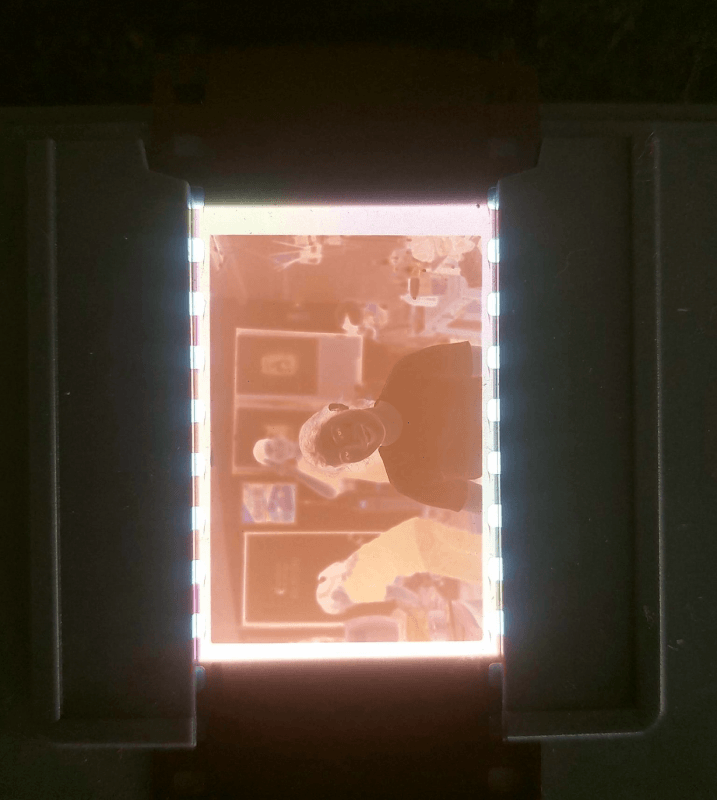
Step 1
Place the film
Place the film in the KLIM K2 scanner or hold it in front of a clean light source.
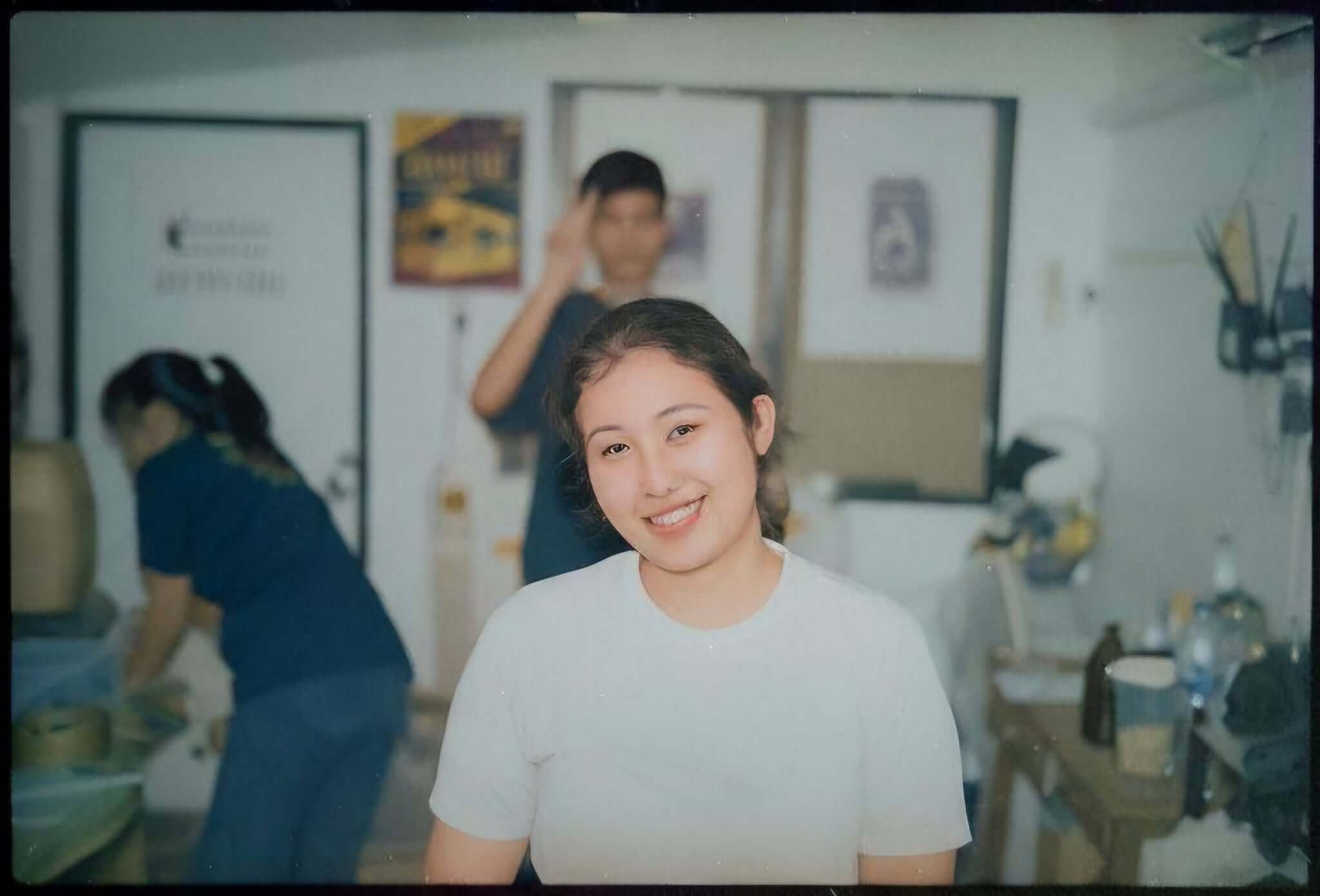
Step 2
Capture with the app
Capture the frame in the app. Magic Scan automatically crops, inverts, and corrects the image.
Step 3
Edit, save, and share
Fine-tune the image, then save it to your library or share it anywhere you want.


Core tools
Tools for scanning film, converting negatives, and cleaning up results.
Support the main promise with the tools people expect from a film negative scanner app and a restoration-first editing workflow.

Scan 35mm film, slides, and 120 film
Use a phone-first workflow for common home archive formats without starting with a dedicated desktop scanner.

Convert negatives to positive photos
Keep inversion, crop, white balance, and color correction close to the scan so the workflow stays fast.

Manual editing and finishing tools
Go from quick cleanup to a polished digital photo with presets and fine-grained adjustments.
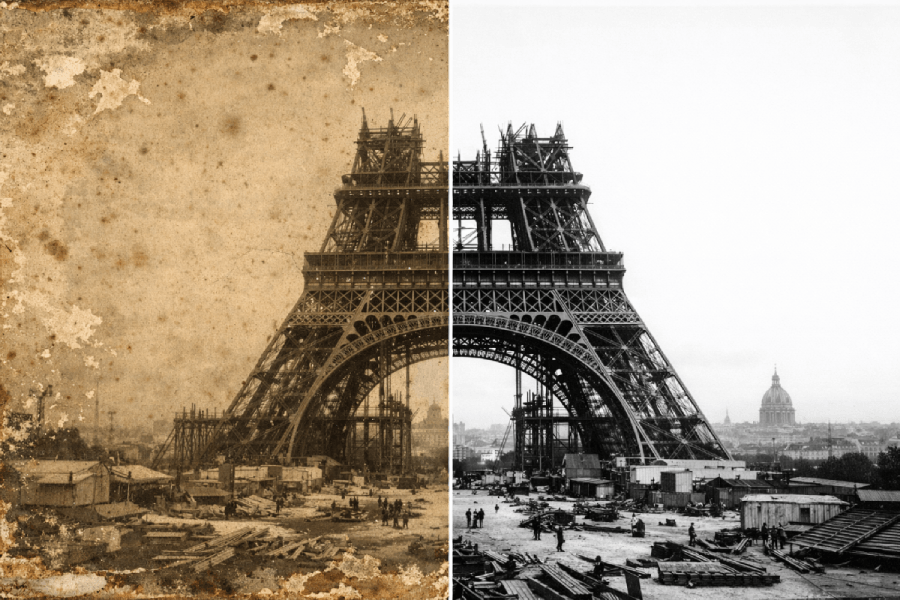
AI tools for older film memories
Use restore, animate, extend, and object removal only when a faded frame deserves the extra work.
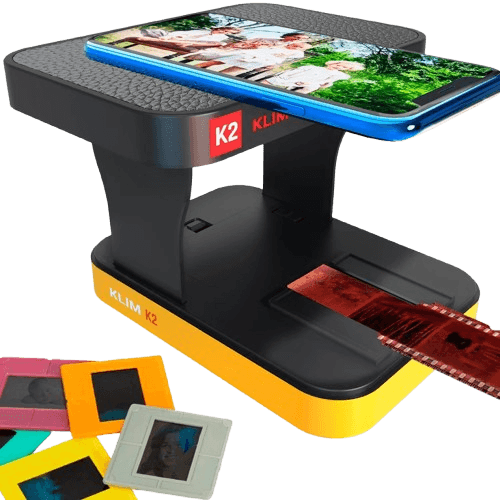
Optional hardware
Add the KLIM K2 scanner when you want steadier, more repeatable scans.
FilmScanner works with your phone alone, but the foldable KLIM K2 smartphone scanner can make film digitizing more repeatable by combining steadier alignment with even LED backlighting.
Optional setup for 35mm negatives, positives, and slides
Built-in backlighting helps create more even illumination
Steadier alignment can make repeated scans faster and more consistent
The app still works with only a phone and a clean backlight. The hardware is there to improve consistency, not to gate access to the workflow.
Get your KLIM K2 ScannerBefore and after
See how slides, 35mm film, and AI tools transform the final photo.
These examples show how slides clean up, how 35mm negatives become finished photos, and how optional AI tools can take the result further.

AI tools
AI tools for creative finishing
Go beyond the base scan with optional tools like object removal, frame extension, colorize, animate, and fun style changes.
Slides
Slides restored for sharing
Dusty or faded slides can become clean digital photos ready to save, print, or send to family.
Customer reviews
What people say after scanning their archives.
Customer reviews.
Customer review
Incredible for old family negatives
“I found a box of old 35mm negatives from the 90s and thought they were basically unusable. This app made it surprisingly easy to scan them with just my phone and convert them into digital photos with colors that actually felt usable. The auto enhancement saved me a lot of editing time.”
Anderson, J.
Customer review
Best way to digitize film without a scanner
“I didn't want to buy a dedicated film scanner, so I tried this app with a small lightbox. It works much better than I expected. The negative inversion is accurate and the results are good enough to share with family right away.”
Moreau, C.
Customer review
Very convenient and fast
“Scanning slides used to be a huge hassle. With this app I can capture them quickly, convert them to positives, and adjust colors right away. The interface is simple and the restoration tools help a lot with faded film.”
Sofia, L.
Customer review
Great results with minimal setup
“All I needed was my phone and a light source. The app detects the film well and converts it into a usable photo instantly. I especially like the ability to improve contrast and remove small imperfections without moving to a desktop workflow.”
Chloe
Customer review
Perfect for rediscovering old memories
“I digitized dozens of old negatives from my parents' collection in one evening. The scans look clean and the AI enhancements make the photos look much better than the raw negatives. A really useful tool if you have old film, slides, or old rolls lying around.”
Isabella
FAQ
Questions people ask before scanning negatives with a phone
Short answers to the questions people ask before scanning 35mm film, slides, or older negatives with FilmScanner.
Can I scan film negatives with my phone?
Yes. FilmScanner is designed to help you scan film negatives with your phone, convert them into digital photos, and clean them up quickly.
Can a smartphone scan 35mm film and slides?
Yes. A smartphone can scan 35mm film and slides when the film is evenly backlit and held steady. FilmScanner helps by handling inversion, crop, and color correction after capture.
What film formats are supported?
The app is positioned for common home archive formats including 35mm negatives, 35mm slides, and 120 film.
How do you convert negatives to positives?
After you capture the frame, FilmScanner uses Magic Scan to invert the negative, crop the film area, and balance tone and color.
Is the app free to use?
The app is free to start, with premium tools available in the app for people who want deeper restoration and enhancement controls.
Does optional hardware help with film scans?
Optional hardware can help by giving you more even backlighting and steadier alignment. FilmScanner still works with just your phone, so extra hardware is a quality-of-life upgrade rather than a requirement.
Can I restore damaged or faded film photos?
Yes. FilmScanner includes restoration-focused tools that help bring back faded memories, improve contrast and color, and clean up older film scans.
Install KLIM Film Scanner
Convert old film into digital photos in seconds.
Scan 35mm film, slides, and old negatives with your phone, then enhance them with editing and AI tools whenever you want more control.